Twelve Routines Went Dark and the Dashboard Stayed Green

Twelve of my automated routines stopped running roughly two weeks ago. Nothing alerted me. The system looked healthy the entire time, because the parts I watch every morning kept working. This is a story about how automation fails in the way that is hardest to notice, and what it takes to catch a failure that produces no error, no alarm, and no visible symptom.
What I run
I run a large set of scheduled routines, the kind of self-triggering loops I described in what running fifty-odd agents taught me about the verifier. Some fire every morning: a briefing, a journal, an inbox scan. Others fire weekly or monthly: infrastructure health checks, a memory backup pull, a trust register sweep, a compliance cadence review. Dozens in total, each on its own clock.
The scheduler runs one job at a time and has a global limit on how much it will attempt in a window. When it is busy, lower-priority jobs wait their turn.
That last sentence contains the whole failure.
The quiet death
At some point the machine slept or went offline long enough for a backlog to form. When it woke, every routine that had missed its slot wanted to run at once. The scheduler, respecting its global limit, ran the highest-priority jobs and deferred the rest.
Here is the trap. The deferred jobs did not get a later turn. They got a skip, recorded as skipped-because-the-system-was-busy. And the next time they were due, they were still behind the same high-priority queue, so they were skipped again. And again. Each accrued thousands of these skips. The backlog became self-perpetuating.
The daily briefing kept firing, because it sits at the front. So every morning the system produced its most visible output on time. The evidence I looked at said healthy. Meanwhile the memory backup had not run in two weeks. The infrastructure health check had not run. The weekly trust sweep had not run. Twelve routines, dark since roughly the twentieth of the month, and the only signal was an absence, which is the one thing a dashboard built to show presence will never show you.
Why absence is invisible
Monitoring almost always measures presence. Did the job run. Did it succeed. Did it produce output. These are the right questions, and they all share a blind spot: they can only tell you about jobs that ran. A job that never started produces no record to inspect, no failure to flag, no red light to notice. It simply is not there, and not-there looks identical to nothing-scheduled.
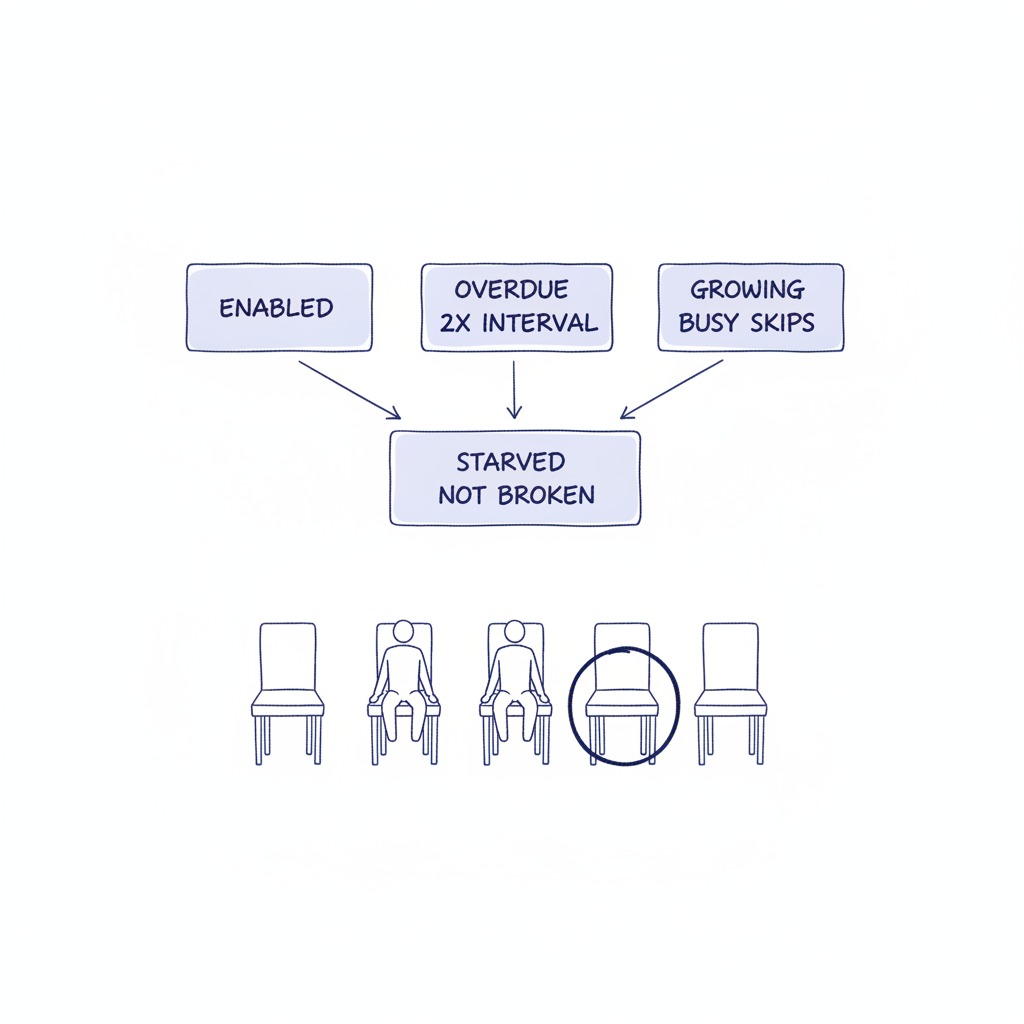
The failure mode that evades a presence-based monitor is not the job that fails. It is the job that never runs. A crash leaves a body. Starvation leaves an empty chair, and nobody counts empty chairs.
This is not a software-only problem. Every business runs on routines that succeed by happening and fail by silently not happening. The reconciliation nobody did this month. The follow-up call that fell off the list. The compliance check that everyone assumed someone else ran. None of these throw an error. They just quietly do not occur, and the gap surfaces weeks later, usually through the one person who needed the thing that never happened.
The three fixes
The immediate fix was mechanical: clear the accumulated skip records, spread the routines' fire times across the hour so they stop colliding, and restart. The backlog clears and the routines resume.
But the mechanical fix restores the exact conditions that caused the failure. The scheduler still has no concept of fairness over time. A low-priority job can still be starved forever if it keeps losing the queue. So the fix has to go past the reset.
First, monitor for absence, not just failure. I added a check that looks for the specific signature of this death: a routine that is enabled, is overdue by more than twice its interval, and has a growing tail of busy-skips. That combination means starved, not broken. It is a monitor built to notice an empty chair.
Second, remove the collision that creates the backlog. The routines were clustered at the same fire times, so a backlog hit them all together and the queue formed. Spreading them out means a busy moment delays one job, not twelve, and no self-perpetuating queue builds.
Third, treat the underlying unfairness as a real defect, not a quirk. A scheduler with no aging, no mechanism that eventually promotes a job that keeps losing, will starve low-priority work indefinitely under sustained load. That is a design gap, and the durable answer is to escalate it upstream to whoever owns the scheduler, not to keep resetting it by hand.
The management lesson
The reason this is worth writing down is that the pattern is general and the instinct to prevent it is wrong by default.
Most people build monitoring by asking, what could go wrong with the things we do. That question generates checks on outputs, error rates, quality. All useful. All blind to the thing that never ran.
The better question is, what should be happening that I would not notice if it stopped. That question generates a different kind of check. Not did the report have errors, but did the report get produced at all. Not was the backup valid, but did a backup occur this week. Not is the team handling the escalations, but did any escalation sit untouched past its window.
Build one monitor that watches for outputs you expect to see and never do. It will catch a class of failure that every other monitor is structurally incapable of catching.
In my system, the highest-visibility output stayed perfect while twelve quieter ones died. The visibility was the danger. It gave me a green light that was measuring the wrong thing, and a green light you trust is worse than no light at all, because it actively tells you to look away.
The close
Automation does not usually fail loudly. Loud failures get fixed fast, because they announce themselves. The failures that cost you are the ones that look exactly like success from where you are standing: the routine that stopped, the check nobody ran, the chair that emptied while the front of the room kept performing.
Watch for what is missing. It is the only failure your other instruments cannot see.
Part of the Operating Principles series from KG Consultancy.
Strategy and technology are the same decision. Over 15 years in fintech (CTOS, D&B), prop-tech (PropertyGuru DataSense), and digital startups, I have built frameworks that help founders and executives make both moves at once. Based in Kuala Lumpur.
Working on a 0→1 product?
I help founders and operators go from idea to validated product. Let's talk about yours.
Get in touch →